Summary
The HDX Python API Library is designed to enable you to easily develop code that interacts with the Humanitarian Data Exchange (HDX) platform. The major goal of the library is to make pushing and pulling data from HDX as simple as possible for the end user. If you have humanitarian-related data, please upload your datasets to HDX.
Contents
- Information
- Getting Started
- Building a Project
- Default Configuration for Facades
- Facades
- Customising the Configuration
- Configuring Logging
- Operations on HDX Objects
- Dataset Specific Operations
- Resource Specific Operations
- Showcase Management
- User Management
- Organization Management
- Location Management
- Vocabulary Management
- Activity Streams
- HDX Statistics
- Pipeline State
- Working Examples
- Project Framework
- IDMC Example
Information
For more about the purpose and design philosophy, please visit HDX Python Library.
This library is part of the Humanitarian Data Exchange (HDX) project. If you have humanitarian related data, please upload your datasets to HDX.
The code for the library is here. The library has detailed API documentation which can be found in the menu at the top.
Breaking Changes
From 6.6.5, removed DatasetTitleHelper class and Dataset method remove_dates_from_title
From 6.6.0, Python 3.10 or later is required
From 6.5.7, get_size_and_hash moved to HDX Python Utilities
From 6.5.2, remove unused generate_qc_resource_from_rows method.
generate_resource_from_rows, generate_resource_from_iterable and
download_and_generate_resource are deprecated. They are replaced by
generate_resource and download_generate_resource.
From 6.5.0, files will not be uploaded to the HDX filestore if the hash and size have not changed, but if there are any resource metadata changes, except for last_modified, they will still take place.
From 6.4.5, fix for changes in dependency defopt 7.0.0
From 6.2.8, fix mark_data_updated which was broken due to an error in dataset_update_filestore_resource in which timezone information was incorrectly added to the iso formatted string
From 6.2.7, generate_resource_from_iterator renamed to generate_resource_from_iterable with requirement of iterable rather iterator
From 6.2.6, kwargs take preference over environment variables which take preference over configuration files
From 6.2.5, environment variables take preference over kwargs which take preference over configuration files
From 6.1.5, any method or parameter with "reference_period" in it is renamed to "time_period" and any method or parameter with "file_type" in it is renamed to "format"
From 6.0.0, generate_resource_view is renamed to generate_quickcharts
From 5.9.9, get_location_iso3s returns uppercase codes instead of lowercase
From 5.9.8, get_date_of_dataset has become get_reference_period, set_date_of_dataset has become set_reference_period and set_dataset_year_range has become set_reference_period_year_range
From 5.9.7, Python 3.7 no longer supported
From 5.8.2, date handling uses timezone aware dates instead of naive dates and defaults to UTC
From 5.6.0, creating and updating datastores removed
From 5.4.0, Configuration class moved to hdx.api.configuration and Locations class moved to hdx.api.locations
From 5.3.0, only supports Python 3.6 and above
From 5.0.1, Dataset functions get_location_iso3s and get_location_names replace get_location
From 4.8.3, some date functions in Dataset have been deprecated: get_dataset_date_type, get_dataset_date_as_datetime, get_dataset_end_date_as_datetime, get_dataset_date, get_dataset_end_date, set_dataset_date_from_datetime and set_dataset_date.
From 3.9.2, the default sort order for returned results from search and getting all datasets has changed.
From 3.7.3, the return type for add_tag, add_tags and clean_tags is now Tuple[List[str], List[str]] (Tuple containing list of added tags and list of deleted tags and tags not added).
From 3.7.1, the list of tags must be from a set of approved tags (see under Tags below).
Getting Started
Obtaining your API Key
If you just want to read data from HDX, then an API key is not necessary and you can ignore the 6 steps below. However, if you want to write data to HDX, then you need to register on the website to obtain an API key. You can supply this key as an argument or create an API key file. If you create an API key file, by default this is assumed to be called .hdxkey and is located in the current user's home directory \~. Assuming you are using a desktop browser, the API key is obtained by:
- Browse to the HDX website
- Left click on LOG IN in the top right of the web page if not logged in and log in
- Left click on your username in the top right of the web page and select PROFILE from the drop down menu
- Scroll down to the bottom of the profile page
- Copy the API key which will be of the form: xxxxxxxx-xxxx-xxxx-xxxx-xxxxxxxxxxxx
-
You can either:
a. Pass this key as a parameter or within a dictionary
b. Create a JSON or YAML file. The default path is .hdx_configuration.yaml in the current user's home directory. Then put in the YAML file:
hdx_key: "HDX API KEY"
Installing the Library
To include the HDX Python library in your project, you must pip install or add to your requirements.txt file the following line:
hdx-python-api==VERSION
Replace VERSION with the latest tag available from https://github.com/OCHA-DAP/hdx-python-api/tags.
If you get dependency errors, it is probably the dependencies of the cryptography package that are missing eg. for Ubuntu: python-dev, libffi-dev and libssl-dev. See cryptography dependencies.
If you get import or other errors, then please either recreate your virtualenv if you are using one or uninstall hdx-python-api, hdx-python-country and hdx-python-utilities using pip uninstall, then install hdx-python-api (which will pull in the other dependencies).
Docker
The library is also available set up and ready to go in a Docker image:
docker pull public.ecr.aws/unocha/hdx-scraper-baseimage:stable
docker run -i -t public.ecr.aws/unocha/hdx-scraper-baseimage:stable python3
A Quick Example
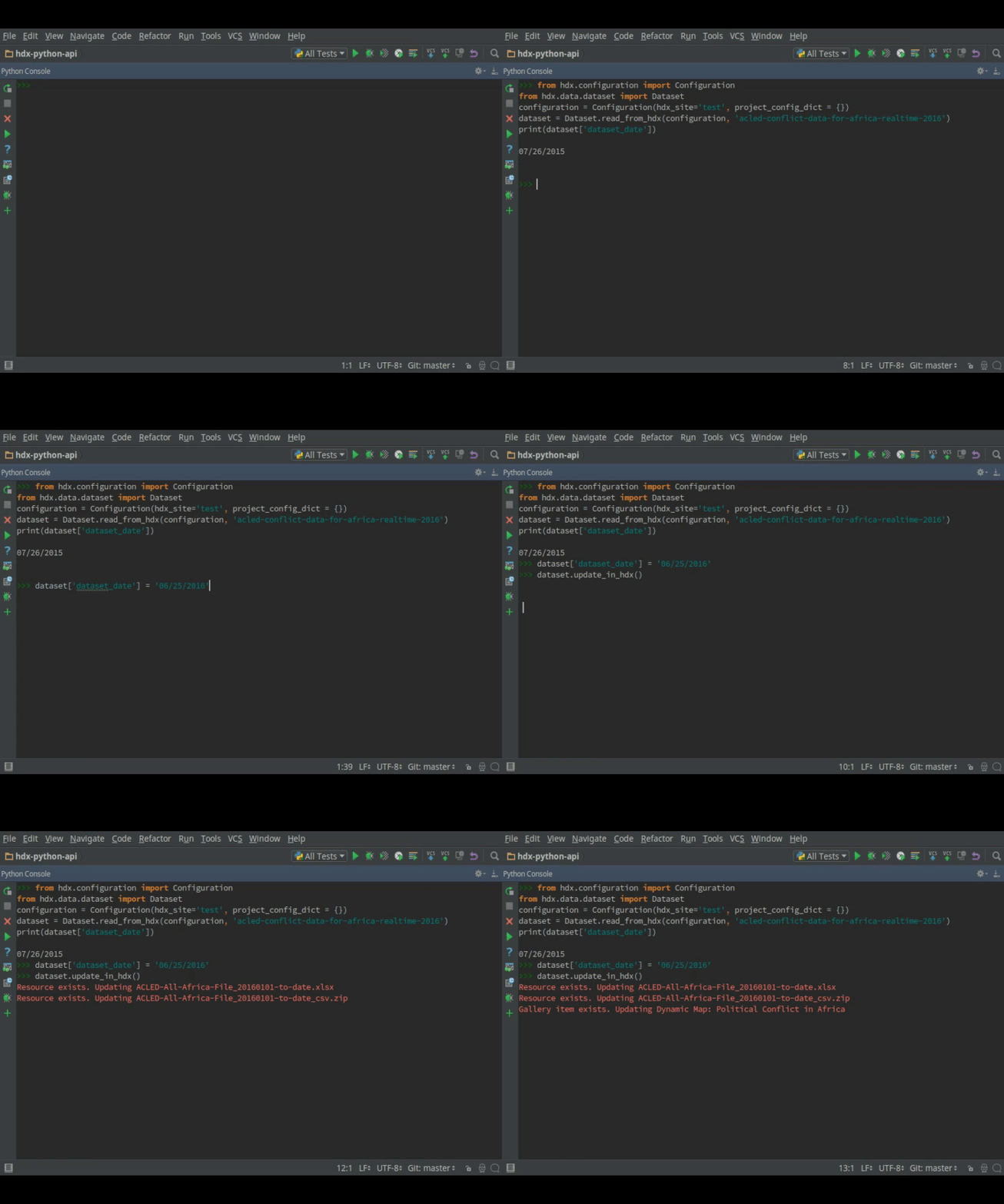
Let's start with a simple example that also ensures that the library is working properly. In this tutorial, we use virtualenv, a sandbox, so that your Python install is not modified.
-
If you just want to read data from HDX, then an API key is not necessary. However, if you want to write data to HDX, then you need to register on the website to obtain an API key. Please see above about where to find it on the website. Once you have it, then put it into a file in your home directory:
cd ~ echo "hdx_key: \"xxxxxxxx-xxxx-xxxx-xxxx-xxxxxxxxxxxx\"" > .hdx_configuration.yaml -
If you are using the Docker image, you can jump to step 6, otherwise install virtualenv if not installed:
pip install virtualenvOn some Linux distributions, you can do the following instead to install from the distribution's official repository:
sudo apt-get install virtualenv -
Create a Python 3 virtualenv and activate it:
On Windows (assuming the Python 3 executable is in your path):
virtualenv test
test\Scripts\activate
On other OSs:
virtualenv -p python3 test source test/bin/activate -
Install the HDX Python library:
pip install hdx-python-api -
If you get errors, it is probably the dependencies of the cryptography package
-
Launch python:
python -
Import required classes:
from hdx.utilities.easy_logging import setup_logging from hdx.api.configuration import Configuration from hdx.data.dataset import Dataset -
Setup logging
setup_logging() -
Use configuration defaults.
If you only want to read data, then connect to the production HDX server, making sure that you replace MyOrg_MyProject with something that describes your organisation and project:
Configuration.create(hdx_site="prod", user_agent="MyOrg_MyProject", hdx_read_only=True)If you want to write data, then for experimentation, do not use the production HDX server. Instead you can use one of the test servers. Assuming you have an API key stored in a file .hdxkey in the current user's home directory:
Configuration.create(hdx_site="stage", user_agent="MyOrg_MyProject") -
Read this dataset Novel Coronavirus (COVID-19) Cases Data from HDX and view the date of the dataset:
dataset = Dataset.read_from_hdx("novel-coronavirus-2019-ncov-cases") print(dataset.get_time_period()) -
You can search for datasets on HDX and get their resources:
datasets = Dataset.search_in_hdx("thailand subnational boundaries", rows=10) print(datasets) resources = Dataset.get_all_resources(datasets) print(resources) -
You can download a resource in the dataset:
url, path = resources[0].download() print("Resource URL %s downloaded to %s" % (url, path)) -
If you have an API key, you can write to HDX. You can try it out on a test server. With a dataset to which you have permissions, change the dataset date:
dataset = Dataset.read_from_hdx("ID OR NAME OF DATASET") print(dataset.get_time_period()) # record this dataset.set_time_period("2015-07-26") print(dataset.get_time_period()) dataset.update_in_hdx() -
You can view it on HDX before changing it back (if you have an API key):
dataset.set_time_period("PREVIOUS DATE") dataset.update_in_hdx() -
If you are storing your data on HDX, you can upload a new file to a resource:
resource = dataset.get_resource(0) resource.set_file_to_upload("PATH TO FILE") resource.update_in_hdx() -
Alternatively, if you are using a URL to point to data held externally from HDX, you can mark that the data has been updated before updating the resource or parent dataset:
resource = dataset.get_resource(2) resource.mark_data_updated() dataset.update_in_hdx() -
Exit and remove virtualenv:
exit()
deactivate
On Windows:
rd /s /q testOn other OSs:
rm -rf test
Building a Project
Default Configuration for Facades
The easiest way to get started is to use the facades and configuration defaults. The facades set up both logging and HDX configuration.
The default configuration loads an internal HDX configuration located within the library, and assumes that there is an API key file called .hdxkey in the current user's home directory \~ and a YAML project configuration located relative to your working directory at config/project_configuration.yaml which you must create. The project configuration is used for any configuration specific to your project.
The default logging configuration reads a configuration file internal to the library that sets up an coloured console handler outputting at INFO level and a file handler writing to errors.log at ERROR level.
Facades
The simple facade makes it easier to get up and running:
from hdx.facades.simple import facade

def main():
    ***YOUR CODE HERE***

if __name__ == "__main__":
    facade(main, CONFIGURATION_KWARGS)
The keyword arguments facade is similar but passes through keyword arguments:
from hdx.facades.keyword_arguments import facade

def main(kwparam1, kwparam2, ...,**ignore):
    ***YOUR CODE HERE***

if __name__ == "__main__":
    facade(main, CONFIGURATION_AND_OTHER_KWARGS)
The infer arguments facade infers the possible command line from the type hints and docstring describing the parameters of the function you give (such as main). It is possible to pass additional parameters to the facade which will be overridden by any parameters provided on the command line with the same name.
from hdx.facades.infer_arguments import facade

def main(kwparam1: bool, kwparam2: str):
    """Generate dataset and create it in HDX
    Args:
        kwparam1 (bool): Help text for this command line argument
        kwparam2 (str): Help text for this command line argument

    Returns:
        None
    """
    ***YOUR CODE HERE***

if __name__ == "__main__":
    facade(main, kwparam3="lala")
Customising the Configuration
It is necessary to pass configuration parameters in the facade call eg.
facade(main, user_agent=USER_AGENT, hdx_site = HDX_SITE_TO_USE, hdx_read_only = ONLY_READ_NOT_WRITE, hdx_key_file = LOCATION_OF_HDX_KEY_FILE, hdx_config_yaml=PATH_TO_HDX_YAML_CONFIGURATION, project_config_dict = {"MY_PARAMETER", "MY_VALUE"})
If you do not use the facade, you can use the create method of the Configuration class directly, passing in appropriate keyword arguments ie.
from hdx.api.configuration import Configuration
...
Configuration.create([configuration], [user_agent], [user_agent_config_yaml], [remoteckan], KEYWORD ARGUMENTS)
You must supply a user agent using one of the following approaches:
- Populate parameter user_agent (which should be the name of your organisation and project)
- Supply user_agent_config_yaml which should point to a YAML file which contains a parameter user_agent
-
Supply user_agent_config_yaml which should point to a YAML file and populate user_agent_lookup which is a key to look up in the YAML file which should be of form:
myproject: user_agent: test myproject2: user_agent: test2 -
Include user_agent in one of the configuration dictionaries or files outlined in the table below eg. hdx_config_json or project_config_dict.
KEYWORD ARGUMENTS can be:
| Choose | Argument | Type | Value | Default |
|---|---|---|---|---|
| hdx_site | Optional[str] | HDX site to use eg. prod, feature | test | |
| hdx_read_only | bool | Read only or read/write access to HDX | False | |
| hdx_key | Optional[str] | HDX key (not needed for read only) | ||
| Above or one of: | hdx_config_dict | dict | Dictionary with hdx_site, hdx_read_only, hdx_key | |
| or | hdx_config_json | str | Path to JSON configuration with values as above | |
| or | hdx_config_yaml | str | Path to YAML configuration with values as above | |
| Zero or one of: | project_config_dict | dict | Project specific configuration dictionary | |
| or | project_config_json | str | Path to JSON Project |
To access the configuration, you use the read method of the Configuration class as follows:
Configuration.read()
For more advanced users, there are methods to allow you to pass in your own configuration object, remote CKAN object and list of valid locations. See the API documentation for more information.
This global configuration is used by default by the library but can be replaced by Configuration instances passed to the constructors of HDX objects like Dataset eg.
configuration = Configuration(KEYWORD ARGUMENTS)
configuration.setup_remoteckan(REMOTE CKAN OBJECT)
configuration.setup_validlocations(LIST OF VALID LOCATIONS)
dataset = Dataset(configuration=configuration)
Configuring Logging
If you use a facade from hdx.facades, then logging will go to console and errors to file. If you are not using a facade, you can call setup_logging which takes an argument error_file which is False by default. If set to True, errors will be written to a file.
If not using facade:
from hdx.utilities.easy_logging import setup_logging
...
logger = logging.getLogger(__name__)
setup_logging(console_log_level="DEBUG", log_file="output.log",
file_log_level="INFO")
To use logging in your files, simply add the line below to the top of each Python file:
logger = logging.getLogger(__name__)
Then use the logger like this:
logger.debug("DEBUG message")
logger.info("INFORMATION message")
logger.warning("WARNING message")
logger.error("ERROR message")
logger.critical("CRITICAL error message")
Operations on HDX Objects
You can read an existing HDX object with the static read_from_hdx method which takes an identifier parameter and returns the an object of the appropriate HDX object type eg. Dataset or None depending upon whether the object was read eg.
dataset = Dataset.read_from_hdx("DATASET_ID_OR_NAME")
You can search for datasets and resources in HDX using the search_in_hdx method which takes a query parameter and returns the a list of objects of the appropriate HDX object type eg. list[Dataset]. Here is an example:
datasets = Dataset.search_in_hdx("QUERY", **kwargs)
The query parameter takes a different format depending upon whether it is for a dataset or a resource. The resource level search is limited to fields in the resource, so in most cases, it is preferable to search for datasets and then get their resources.
Various additional arguments (**kwargs) can be supplied. These are detailed in the API
documentation. The rows parameter for datasets (limit for resources) is the maximum
number of matches returned and is by default everything.
You can create an HDX Object, such as a dataset, resource, showcase, organization or user by calling the constructor with an optional dictionary containing metadata. For example:
from hdx.data.dataset import Dataset

dataset = Dataset({
    "name": slugified_name,
    "title": title
})
The dataset name should not contain special characters and hence if there is any chance of that, then it needs to be slugified. Slugifying is way of making a string valid within a URL (eg. ae replaces ä). There are various packages that can do this eg. python-slugify.
You can add metadata using the standard Python dictionary square brackets eg.
dataset["name"] = "My Dataset"
You can also do so by the standard dictionary update method, which takes a dictionary eg.
dataset.update({"name": "My Dataset"})
Larger amounts of static metadata are best added from files. YAML is very human readable and recommended, while JSON is also accepted eg.
dataset.update_from_yaml([path])

dataset.update_from_json([path])
The default path if unspecified is config/hdx_TYPE_static.yaml for YAML and config/hdx_TYPE_static.json for JSON where TYPE is an HDX object's type like dataset or resource eg. config/hdx_showcase_static.json. The YAML file takes the following form:
owner_org: "acled"
maintainer: "acled"
...
tags:
    - name: "violence and conflict"
resources:
    -
      description: "Resource1"
      url: "http://resource1.xlsx"
      format: "xlsx"
...
Notice how you can define resources (each resource starts with a dash "-") within the file as shown above.
You can check if all the fields required by HDX are populated by calling check_required_fields. This will throw an exception if any fields are missing. Before the library posts data to HDX, it will call this method automatically. You can provide a list of fields to ignore in the check. An example usage:
resource.check_required_fields([ignore_fields])
Once the HDX object is ready ie. it has all the required metadata, you simply call create_in_hdx eg.
dataset.create_in_hdx(allow_no_resources, update_resources,
                      update_resources_by_name,
                      remove_additional_resources)
If the object already exists, it will be updated. You can also update explicitly by calling update_in_hdx eg.
dataset.update_in_hdx(update_resources, update_resources_by_name,
                      remove_additional_resources)
You can delete HDX objects using delete_from_hdx and update an object that already exists in HDX with the method update_in_hdx. These take various boolean parameters that all have defaults and are documented in the API docs. They do not return anything and they throw exceptions for failures like the object to update not existing.
Dataset Specific Operations
A dataset can have resources and can be in a showcase.
If you wish to add a resource, you can create a resource dictionary and set the format then call the add_update_resource function, for example:
resource = Resource({
    "name": "myfile.xlsx",
    "description": "description",
})
resource.set_format("xlsx")
resource.set_file_to_upload(PATH_TO_FILE)
dataset.add_update_resource(resource)
It is also possible to supply a resource id string or dictionary to the add_update_resource function. A url can be given instead of uploading a file to the HDX filestore (although using the filestore is preferred):
resource = Resource({
    "name": "myfile.xlsx",
    "description": "description",
    "url": "https://www.blah.com/myfile.xlsx"
})
resource.set_format("xlsx")
dataset.add_update_resource(resource)
You can delete a Resource object from the dataset using the delete_resource function, for example:
dataset.delete_resource(resource)
add_update_resources creates a list of HDX Resource objects in a dataset:
dataset.add_update_resources(resources)
To see the list of resources, you use the get_resources function eg.
resources = dataset.get_resources()
You can get all the resources from a list of datasets as follows:
resources = Dataset.get_all_resources(datasets)
To see the list of showcases a dataset is in, you use the get_showcases function eg.
showcases = dataset.get_showcases()
If you wish to add the dataset to a showcase, you must first create the showcase in HDX if it does not already exist:
showcase = Showcase({"name": "new-showcase-1",
                     "title": "MyShowcase1",
                     "notes": "My Showcase",
                     "package_id": "6f36a41c-f126-4b18-aaaf-6c2ddfbc5d4d",
                     "image_display_url": "http://myvisual/visual.png",
                     "url": "http://visualisation/url/"})
showcase.create_in_hdx()
Then you can supply an id, dictionary or Showcase object and call the add_showcase function, for example:
dataset.add_showcase(showcase)
You can remove the dataset from a showcase using the remove_showcase function, for example:
dataset.remove_showcase(showcase)
HDX runs file structure checks on resources, recording schema changes (eg. column names, order or types) and whether sheets have merged cells. You can get these checks for all of a dataset's resources from HDX:
fs_check_info = dataset.get_fs_check_info()
This returns a list of dictionaries, each from a resource name to a list of
check events with keys such as state, timestamp, sheet_changes and
hxl_proxy_response.
Similarly, you can get the geopreview shape information of a dataset's resources:
shape_info = dataset.get_shape_info()
HDX can recommend tags for a dataset based on its title and organization
(owner_org). Tags are ordered from most to least recommended:
tags = dataset.get_recommended_tags()
You can check if the dataset or its organization is in HDX's allowlist for automatic loading of resources into the datastore:
allowed = dataset.is_allowed_for_datastore()
HDX sysadmins can submit all of a dataset's CSV resources to DataPusher+ (returning False if there are none):
submitted = dataset.push_to_datastore()
Users who are sysadmins or have permission to manage QA can mark QA of a
dataset as completed, set a QA field of all its resources or clear a file
structure check field (fs_check_info by default) of all its resources. The
dataset is updated from the result:
dataset.set_qa_completed(True)
dataset.qa_revise_resources("pii", "false")
dataset.reset_fs_check()
Time Period
Time Period is a mandatory field in HDX. It is the earliest start date and latest end date across all the resources included in the dataset. The time period may be of any length: a year, a month, or even a day. It should not to be confused with when data was last added/changed in the dataset. It can be a single date or a range.
To get the time period, you can do as shown below. It returns a dictionary containing keys "startdate" (start date as datetime), "enddate" (end date as datetime), "startdate_str" (start date as string), "enddate_str" (end date as string) and ongoing (whether the end date is a rolls forward every day). You can supply a date format. If you do not, the output format will be an ISO 8601 date eg. 2007-01-25.
time_period = dataset.get_time_period("OPTIONAL FORMAT")
To set the time period, you must pass either datetime.datetime objects or strings to the function below. It accepts a start date and an optional end date which if not supplied is assumed to be the same as the start date. Instead of the end date, the flag "ongoing" which by default is False can be set to True which indicates that the end date rolls forward every day.
dataset.set_time_period("START DATE", "END DATE")
The method below allows you to set the time period using a year range. The start and end year can be supplied as integers or strings. If no end year is supplied then the range will be from the beginning of the start year to the end of that year.
dataset.set_time_period_year_range(START YEAR, END YEAR)
Expected Update Frequency
HDX datasets have a mandatory field, the expected update frequency. This is your best guess of how often the dataset will be updated.
The HDX web interface uses set frequencies:
Every day
Every week
Every two weeks
Every month
Every three months
Every six months
Every year
As needed
Never
Although the API allows much greater granularity (a number of days), you are encouraged to use the options above (avoiding using Never and As needed if possible as this field helps determine how up to date datasets are). To assist with this, you can use certain Dataset methods outlined below.
The following method will return a textual expected update frequency corresponding to what would be shown in the HDX web interface.
update_frequency = dataset.get_expected_update_frequency()
The method below allows you to set the dataset's expected update frequency using one of the set frequencies above. (It also allows you to pass a number of days as a string or integer, but this is discouraged.)
dataset.set_expected_update_frequency("UPDATE_FREQUENCY")
A list of valid update frequencies can be found using:
Dataset.list_valid_update_frequencies()
Transforming backwards and forwards between representations can be achieved with this function:
update_frequency = Dataset.transform_update_frequency("UPDATE_FREQUENCY")
Location
Each HDX dataset must have at least one location associated with it.
If you wish to get the current location(s) as ISO 3 country codes, you can call the method below:
locations = dataset.get_location_iso3s()
If you wish to get the current location name(s), you can call the method below:
locations = dataset.get_location_names()
If you want to add a country, you do as shown below. If you don't provide an ISO 3 country code, the text you give will be parsed and converted to an ISO 3 code if it is a valid country name.
dataset.add_country_location("ISO 3 COUNTRY CODE")
If you want to add a list of countries, the following method enables you to do it. If you don"t provide ISO 3 country codes, conversion will take place where valid country names are found.
dataset.add_country_locations(["ISO 3","ISO 3","ISO 3"...])
If you want to add a region, you do it as follows. If you don't provide a three digit UNStats M49 region code, then parsing and conversion will occur if a valid region name is supplied.
dataset.add_region_location("M49 REGION CODE")
add_region_location accepts regions, intermediate regions or subregions as specified on the UNStats M49 website.
If you want to add any other kind of location (which must be in this list of valid locations), you do as shown below.
dataset.add_other_location("LOCATION")
Tags
HDX datasets can have tags which help people to find them eg. "common operational dataset - cod", "refugees". These tags come from a predefined set of approved tags. If you add tags that are not in the approved list, the library attempts to map them to approved tags based on a spreadsheet of tag mappings.
If you wish to get the current tags, you can use this method:
tags = dataset.get_tags()
If you want to add a tag, you do it like this:
dataset.add_tag("TAG")
If you want to add a list of tags, you do it as follows:
dataset.add_tags(["TAG","TAG","TAG"...])
To obtain the predefined set of approved tags:
approved_tags = Vocabulary.approved_tags()
Maintainer
HDX datasets must have a maintainer.
If you wish to get the current maintainer, you can do this:
maintainer = dataset.get_maintainer()
If you want to set the maintainer, you do it like this:
dataset.set_maintainer(USER)
USER is either a string id, dictionary or a User object.
Organization
HDX datasets must be part of an organization.
If you wish to get the current organization, you can do this:
organization = dataset.get_organization()
If you want to set the organization, you do it like this:
dataset.set_organization(ORGANIZATION)
ORGANIZATION is either a string id, dictionary or an Organization object.
Custom Visualization
If you want to add a custom visualization to a dataset, you can do this:
dataset.set_custom_viz(URL)
URL is a string containing the url of your visualization.
You can get any existing visualization like this:
url = dataset.get_custom_viz()
The return value is a string if a visualization has been set on the dataset, otherwise it is None.
Resource Generation
There are a range of helpful functions to generate resources. In the following examples, RESOURCE DATA takes the form {"name": NAME, "description": DESCRIPTION} and ENCODING is a file encoding like "utf-8".
A resource can be generated from ROWS which is a list of list, tuple or dictionary. HEADERS is either a row number (rows start counting at 1), or the actual headers defined as a list of strings. If not set, all rows will be treated as containing values:
dataset.generate_resource("FOLDER", "FILENAME", ROWS, RESOURCE_DATA,
                          headers=HEADERS, columns=COLUMNS, format="FORMAT",
                          encoding="ENCODING", datecol=DATECOL)
To use years or a custom date function instead, replace datecol=DATECOL with
yearcol=YEARCOL or date_function=DATE_FUNCTION. Supply only one of these
three arguments, using its keyword.
The first 4 parameters are mandatory, the rest are optional. A resource can be generated from a given list or tuple or other iterable. The method returns a tuple with a bool True is the resource was addeed and a dictionary of information. FOLDER and FILENAME specify where the file will be generated for upload to the filestore. The dataset time period can optionally be set by supplying DATECOL for looking up dates or YEARCOL for looking up years. DATECOl and YEARCOL can be a column name or the index of a column. Note that any timezone information is ignored and UTC is assumed.
Alternatively, DATE_FUNCTION can be supplied to handle any dates in a row. It should accept a row and should return None to ignore the row or a dictionary which can either be empty if there are no dates in the row or can be populated with keys startdate and/or enddate which are of type timezone-aware datetime. The lowest start date and highest end date are used to set the time period and are returned in the results dictionary in keys startdate and enddate.
download_generate_resource builds on generate_resource.
It uses a DOWNLOADER, an object of class Download, Retrieve or other class
that implements BaseDownload to download from a URL. Additional arguments in
**KWARGS are passed to the get_tabular_rows method of the DOWNLOADER.
Optionally, headers can be inserted at specific positions. This is achieved using HEADER_INSERTIONS. If supplied, it is a list of tuples of the form (position, header) to be inserted. A function, ROW_FUNCTION, is called for each row. If supplied, it takes as arguments: headers (prior to any insertions) and row (which will be in dict or list form depending upon the dict_rows argument) and outputs a modified row.
The rest of the arguments are the same as for generate_resource.
dataset.download_generate_resource(DOWNLOADER, "URL", "FOLDER", "FILENAME",
                                   RESOURCE_DATA, header_insertions=HEADER_INSERTIONS,
                                   row_function=ROW_FUNCTION, datecol=DATECOL,
                                   **KWARGS)
As with generate_resource, use yearcol=YEARCOL or
date_function=DATE_FUNCTION instead of datecol=DATECOL when appropriate.
Resource Specific Operations
When creating or updating a resource that doesn't have an id, if you supply a parameter dataset, then the resource will be assigned to that dataset and it will be compared to resources in that dataset. If a match is found, then the resource will be given the corresponding id and that resource on HDX will be overwritten.
resource.create_in_hdx(dataset=DATASET)
Alternatively, if a resource doesn't have an id, but contains a package_id, the create and update methods will use it to load the corresponding dataset, the resource will be assigned to that dataset and it will be compared to resources in that dataset. If a match is found, then the resource will be given the corresponding id and that resource on HDX will be overwritten.
You can download a resource using the download function eg.
url, path = resource.download("FOLDER_TO_DOWNLOAD_TO")
If you do not supply FOLDER_TO_DOWNLOAD_TO, then a temporary folder is used.
Before creating or updating a resource by calling create_in_hdx or update_in_hdx on the resource or its parent dataset, it is possible to specify the path to a local file to upload to the HDX filestore if that is preferred over hosting the file externally to HDX. Rather than the url of the resource pointing to your server or api, in this case the url will point to a location in the HDX filestore containing a copy of your file.
resource.set_file_to_upload(file_to_upload="PATH_TO_FILE")
There is a getter to read the value back:
file_to_upload = resource.get_file_to_upload()
To indicate that the data in an externally hosted resource (given by a URL) has
been updated, call mark_data_updated on the resource, before calling
create_in_hdx or update_in_hdx on the resource or parent dataset which
will result in the resource last_modified field being set to now.
resource.mark_data_updated()
dataset.update_in_hdx()
Alternatively, when calling create_in_hdx or update_in_hdx on the
resource, it is possible to supply the parameter data_updated eg.
resource.update_in_hdx(data_updated=True)
Using mark_data_updated on multiple resources in a dataset has the
advantage of only requiring a single call to HDX (by way of the dataset's
create_in_hdx or update_in_hdx method). Setting data_updated to
True when using each resource's create_in_hdx or update_in_hdx method
requires a call to HDX per resource.
If you need to set a specific date for date of update (last_modified), you
can call the following:
resource.set_date_data_updated(date)
date can be a datetime object or string. You can retrieve the date of update
(last_modified) using the getter:
date = resource.get_date_data_updated()
If the method set_file_to_upload is used to supply a file, the resource
last_modified field is set to now automatically regardless of the value of
data_updated or whether mark_data_updated has been called.
The file structure check events of a resource (see Dataset Specific
Operations) can be obtained from its fs_check_info field without a call to
HDX:
events = resource.get_fs_check_info()
Users who are sysadmins or have permission to manage QA can set or clear a
file structure check field of a resource. If the key is fs_check_info and the
value is a dictionary, it is appended to the existing check events (the last 20
are kept):
resource.revise_fs_check("fs_check_info", {"state": "success", ...})
resource.reset_fs_check()  # key defaults to fs_check_info
They can also quarantine a resource (which removes its shape_info and
geopreview) or take it out of quarantine, and patch other QA fields:
in_quarantine = resource.is_in_quarantine()
resource.set_in_quarantine(True)
resource.qa_patch(pii="true", sdc_report_flag="false")
A resource can be flagged as containing p-codes or as being in HAPI. Setting these flags requires sysadmin or permission to manage p-codes or the in HAPI flag respectively:
p_coded = resource.is_p_coded()  # None if not set
resource.set_p_coded(True)
in_hapi = resource.is_in_hapi()
resource.set_in_hapi(True)
These methods update the resource from the result.
Data Dictionary
A resource can have a data dictionary describing the columns in the data it
contains. It is a list of dictionaries, each with the keys field (the
column name as it appears in the file), label (a human-readable label) and
description (a human-readable description of the column). Set it using
set_hdx_data_dictionary:
resource.set_hdx_data_dictionary([
    {
        "field": "col_name",
        "label": "Column Label",
        "description": "Human-readable description.",
    },
    {
        "field": "another_col",
        "label": "Another Label",
        "description": "Second column description.",
    },
])
field, label and description must all be non-empty strings for every
column, otherwise an HDXError is raised. Read the data dictionary back
using the getter:
data_dictionary = resource.get_hdx_data_dictionary()
To change the data dictionary of a resource already in HDX without sending
dataset update notifications, use update_hdx_data_dictionary. It patches
only the hdx_data_dictionary field (so last_modified is unchanged), then,
if the resource has a datastore, updates the datastore field labels and
descriptions without reloading the data. The given columns are merged by
field into the existing data dictionary in the resource metadata, so read
the resource from HDX first. Pass replace=True to replace the data
dictionary instead and update_datastore=False to leave the datastore alone:
resource = Resource.read_from_hdx(RESOURCE_ID)
resource.update_hdx_data_dictionary([
    {
        "field": "col_name",
        "label": "Column Label",
        "description": "New description.",
    },
])
Columns are matched to datastore fields by field. A warning is logged for
any column with no matching datastore field.
Datastore
A resource's data can be loaded into the HDX datastore and queried. HDX calls this
Tabular Data Endpoints (TDE),
and it is available only for resources with TDE enabled (their datastore_active
field is true). Contact hdx@un.org to request TDE for your datasets. HDX requires an
API key for all datastore actions and dumps, including reads of public resources,
and limits each IP address to 60 requests per minute. To create, update or delete
the datastore for a resource:
resource.create_datastore(
    [{"id": "code", "type": "text"}, {"id": "value", "type": "numeric"}],
    primary_key="code",
)
resource.update_datastore([{"code": "A", "value": 1.0}])  # upsert by default
has_datastore = resource.has_datastore()
resource.delete_datastore()
HDX loads uploaded files into the datastore using DataPusher+. To reload a
resource's file into the datastore without uploading it again (so
last_modified is unchanged), use submit_to_datapusher. It returns False
if the job was not submitted, eg. because one is already pending. HDX's
datastore allowlist and format checks, which apply to automatic submissions
on upload, are not applied. get_datapusher_status returns the status of
the latest job or None if there is none:
submitted = resource.submit_to_datapusher(ignore_hash=True)
status = resource.get_datapusher_status()  # eg. status["status"] == "complete"
HDX sysadmins can instead use push_to_datastore, which submits the resource through HDX's wrapper action:
submitted = resource.push_to_datastore()
To download the whole datastore (rather than the resource's file) use
download_datastore, which returns the URL and path like download.
file_format can be csv (default), tsv, json or xml, and filename
defaults to the resource name with that extension. get_datastore_dump_url
returns the URL without downloading:
url, path = resource.download_datastore("FOLDER_TO_DOWNLOAD_TO")
url = resource.get_datastore_dump_url(file_format="json")
search_datastore wraps CKAN's datastore_search, returning the result
dictionary (with keys including records, fields and total). It accepts
filters, q, fields, sort, distinct, limit (default 100), offset
and include_total, and passes any other keyword arguments to CKAN:
result = resource.search_datastore(
    filters={"code": ["A", "B"]}, fields=["code", "value"], sort="value desc"
)
records = result["records"]
get_datastore_records takes the same query parameters but pages through
all matching rows, yielding each record (page_size defaults to 10000).
records_format csv and tsv are not supported; use search_datastore for those:
for record in resource.get_datastore_records(filters={"code": "A"}):
    ...
get_datastore_fields returns the datastore field definitions excluding the
internal _id field:
fields = resource.get_datastore_fields()
search_datastore_sql wraps CKAN's datastore_search_sql, running a
SELECT statement where tables are named by double quoted resource id and
returning the list of records. HDX returns at most 32,000 rows per query and
cuts off larger results, in which case a warning is logged (see
paging in the TDE docs):
records = Resource.search_datastore_sql(
    'SELECT code, SUM(value) AS total FROM "RESOURCE_ID" GROUP BY code'
)
Showcase Management
The Showcase class enables you to manage showcases, creating, deleting and updating (as for other HDX objects) according to your permissions.
To see the list of datasets a showcase is in, you use the get_datasets function eg.
datasets = showcase.get_datasets()
If you wish to add a dataset to a showcase, you call the add_dataset function, for example:
showcase.add_dataset(dataset)
You can remove the dataset from a showcase using the remove\dataset function, for example:
showcase.remove_dataset(dataset)
If you wish to get the current tags, you can use this method:
tags = showcase.get_tags()
If you want to add a tag, you do it like this:
showcase.add_tag("TAG")
If you want to add a list of tags, you do it as follows:
showcase.add_tags(["TAG","TAG","TAG"...])
User Management
The User class enables you to manage users, creating, deleting and updating (as for other HDX objects) according to your permissions.
You can obtain the currently logged in user (which is based on the API token used in the configuration):
user = User.get_current_user()
You can get the name of the API token in the configuration and the md5 hash of its owner's email:
token_info = User.get_current_token_info() # {"email_hash": ..., "token_name": ...}
You can check that the current user has a particular permission to a specific organization:
result = User.check_current_user_organization_access("hdx", "read")
For a general access check to use before running a script that creates or updates datasets:
username = User.check_current_user_write_access("hdx")
You can email a user. First you need to set up an email server using a dictionary or file:
email_config_dict = {"connection_type": "TYPE", "host": "HOST",
                     "port": PORT, "username": USERNAME,
                     "password": PASSWORD}
Configuration.read().setup_emailer(email_config_dict=email_config_dict)
Then you can email a user like this:
user.email("SUBJECT", "BODY", sender="SENDER EMAIL")
You can email multiple users like this:
User.email_users(LIST_OF_USERS, "SUBJECT", "BODY", sender="SENDER EMAIL")
Organization Management
The Organization class enables you to manage organizations, creating, deleting and updating (as for other HDX objects) according to your permissions.
You can get the datasets in an organization as follows:
datasets = organization.get_datasets(**kwargs)
Various additional arguments (**kwargs) can be supplied. These are detailed in the API
documentation.
You can get the users in an organization like this:
users = organization.get_users("OPTIONAL FILTER")
OPTIONAL FILTER can be member, editor, admin.
You can add or update a user in an organization as shown below:
organization.add_update_user(USER)
You need to include a capacity field in the USER where capacity is member, editor, admin.
You can add or update multiple users in an organization as follows:
organization.add_update_users([LIST OF USERS])
You can delete a user from an organization:
organization.delete_user("USER ID")
Location Management
The Location class wraps HDX locations (CKAN groups eg. countries, "world"). Reading locations does not require any special permissions, so these are the operations you will typically use. Creating, updating and deleting locations is restricted to HDX sysadmins and works the same way as for other HDX objects (see Operations on HDX Objects).
You can read a single location:
location = Location.read_from_hdx("LOCATION_ID_OR_NAME")
You can get all location names in HDX:
location_names = Location.get_all_location_names(**kwargs)
Passing all_fields=True (plus optionally include_extras=True etc.) returns the full
location dictionaries instead of just names. Various additional arguments (**kwargs)
can be supplied and are detailed in the API documentation.
You can fetch the countries that are currently active on HDX's Data Grid (a live lookup, since Data Grid membership changes over time, rather than a fixed list):
country_codes = Location.get_data_grid_countries()
This returns a sorted list of 3-letter location codes.
HDX sysadmins can get the Data Grid of a country and clear HDX's cached copy of it:
data_grid = Location.get_data_grid("AFG")
Location.invalidate_data_grid("AFG")
get_data_grid returns a dictionary with keys including title, date,
stats and categories (or None if not found). Each category has
subcategories, each with a list of datasets. Complementary datasets have
is_complementary set to True.
You can get the datasets belonging to a location as follows:
datasets = location.get_datasets(**kwargs)
Various additional arguments (**kwargs) can be supplied. These are detailed in the API
documentation.
You can autocomplete a location name:
matches = Location.autocomplete("NAME")
For simple name/code lookups against a cached list of valid locations (eg. converting between a country name and its HDX code) rather than the full Location object, see the Locations helper class instead.
Vocabulary Management
The Vocabulary class enables you to manage CKAN vocabularies, creating, deleting and updating (as for other HDX objects) according to your permissions.
You can optionally initialise a Vocabulary with dictionary, name and tags:
vocabulary = Vocabulary(name="myvocab", tags=["TAG","TAG","TAG"...])
vocabulary = Vocabulary({"name": "myvocab", tags=[{"name": TAG"}, {"name": TAG"}...])
If you wish to get the current tags, you can use this method:
tags = vocabulary.get_tags()
If you want to add a tag, you do it like this:
vocabulary.add_tag("TAG")
If you want to add a list of tags, you do it as follows:
vocabulary.add_tags(["TAG","TAG","TAG"...])
Activity Streams
The Activity class wraps CKAN activities, which record who changed what and when. Activities are read only. You can get the activity stream of a dataset, organization, location or user:
activities = dataset.get_activities(**kwargs)
activities = organization.get_activities(**kwargs)
activities = location.get_activities(**kwargs)
activities = user.get_activities(**kwargs)
These return a list of Activity objects, each with fields like timestamp,
user_id, object_id and activity_type (eg. "changed package"). One page of results
is returned. Its size is set by limit (default 31, HDX maximum 100) and where it starts
by offset. Passing all_pages=True gets every page. Other arguments (**kwargs) like
after, before and activity_types depend on the object type and are detailed in the
API documentation. Getting a user's activity stream requires authorisation to view the
user's profile.
You can get the activity stream of all recently added or changed datasets:
activities = Activity.get_recently_changed_packages(limit=10)
With all_pages=True, this stream covers the whole history of HDX so it is capped by
max_activities (default 1000). Pass max_activities=None to remove the cap.
You can read a single activity, get its data (including a snapshot of the object at the time of the activity) or get a diff against the object's previous version. HDX requires permission to edit the object the activity relates to for these:
activity = Activity.read_from_hdx("ACTIVITY_ID")
data = activity.get_data()
diff = activity.get_diff(diff_type="unified")  # or "context" or "html"
HDX Statistics
General statistics about datasets, organizations and users on HDX can be obtained as follows:
from hdx.api.utilities.hdx_stats import get_general_statistics, push_general_stats

stats = get_general_statistics()
Users with permission to manage basic scheduled tasks can compute the statistics and push them to analytics:
pushed_stats = push_general_stats()
HDX sysadmins can get the number of activities of each active user (optionally between start and end dates) and lists of active and inactive organizations:
from hdx.api.utilities.hdx_stats import get_organization_statistics, get_user_statistics

user_stats = get_user_statistics(start_date="2026-01-01", end_date="2026-06-30")
org_stats = get_organization_statistics()
Pipeline State
The HDXState class allows the reading and writing of state to a given dataset. Input and output state transformations can be supplied in read_fn and write_fn respectively. The input state transformation takes in a string while the output transformation outputs a string. It is used as follows:
    with temp_dir(folder="test_state") as tmpdir:
        statepath = join(tmpdir, statefile)
        copyfile(join(statefolder, statefile), statepath)
        date1 = datetime(2020, 9, 23, 0, 0, tzinfo=timezone.utc)
        date2 = datetime(2022, 5, 12, 10, 15, tzinfo=timezone.utc)
        with HDXState(
            "test_dataset", tmpdir, parse_date, iso_string_from_datetime
        ) as state:
            assert state.get() == date1
            state.set(date2)
        with HDXState(
            "test_dataset", tmpdir, parse_date, iso_string_from_datetime
        ) as state:
            assert state.get() == date2.replace(hour=0, minute=0)

        with HDXState(
            "test_dataset",
            tmpdir,
            HDXState.dates_str_to_country_date_dict,
            HDXState.country_date_dict_to_dates_str,
        ) as state:
            state_dict = state.get()
            assert state_dict == {"DEFAULT": date1}
            state_dict["AFG"] = date2
            state.set(state_dict)
        with HDXState(
            "test_dataset",
            tmpdir,
            HDXState.dates_str_to_country_date_dict,
            HDXState.country_date_dict_to_dates_str,
        ) as state:
            state_dict = state.get()
            assert state_dict == {
                "DEFAULT": date1,
                "AFG": date2.replace(hour=0, minute=0),
            }
Working Examples
For a working example of downloading data in a dataset on HDX, see this answer on StackOverflow.
If you want to know how to create a dataset on HDX with a file resource see this answer on StackOverflow.
Project Framework
Once you understand how to create a dataset on HDX, it is important to think about a good structure. Below is framework for starting a project to interact with HDX that should work well.
First, pip install the library or alternatively add it to a requirements.txt file if you are comfortable with doing so as described above.
Next create a file called run.py and copy into it the code below.
#!/usr/bin/python
# -*- coding: utf-8 -*-
"""
Calls a function that generates a dataset and creates it in HDX.

"""
import logging
from hdx.facades.simple import facade
from .my_code import generate_dataset

logger = logging.getLogger(__name__)


def main():
    """Generate dataset and create it in HDX"""

    dataset = generate_dataset()
    dataset.create_in_hdx()

if __name__ == "__main__":
    facade(main, hdx_site="test")
The above file will create in HDX a dataset generated by a function called generate_dataset that can be found in the file my_code.py which we will now write.
Create a file my_code.py and copy into it the code below:
#!/usr/bin/python
# -*- coding: utf-8 -*-
"""
Generate a dataset

"""
import logging
from hdx.data.dataset import Dataset

logger = logging.getLogger(__name__)


def generate_dataset():
    """Create a dataset
    """
    logger.debug("Generating dataset!")
You can then fill out the function generate_dataset as required.
IDMC Example
A complete example can be found here: https://github.com/OCHA-DAP/hdx-scraper-idmc
The IDMC scraper creates a dataset per country in HDX, populating all the required metadata. It then creates resources with files held on the HDX filestore.
In particular, take a look at the files run.py, idmc.py and the config folder. Do not run it unchanged as it may overwrite the existing datasets in the IDMC organisation (although it will most probably fail as you will not have permissions to modify anything in that organisation). You can use it as a basis for your code renaming and modifying idmc.py as needed and updating metadata in config/hdx_dataset_static.yaml appropriately.
Brief History
The first iteration of a scraper for ACLED was written without the HDX Python library and it became clear looking at this and previous work by others that there are operations that are frequently required and which add unnecessary complexity to the task of coding against HDX. Simplifying the interface to HDX drove the development of the Python library and the second iteration of the scraper was built using it. ACLED went from producing files to creating an API, so a third iteration was developed.
With the interface using HDX terminology and mapping directly on to datasets, resources and showcases, the ACLED scraper was faster to develop and was much easier to understand for someone inexperienced in how it works and what it is doing. The extensive logging and transparent communication of errors is invaluable and enables action to be taken to resolve issues as quickly as possible. Static metadata can be held in human readable files so if it needs to be modified, it is straightforward.
The HDX Python library has expanded over time as needs have arisen and is used for a range of tasks involving interaction with the HDX platform.